An IoT sensor node on a Raspberry Pi
A DHT11, a Pi, validated CSV logging, and PySpark Structured Streaming watching the folder to send alerts. Embedded fundamentals with a data pipeline bolted on.
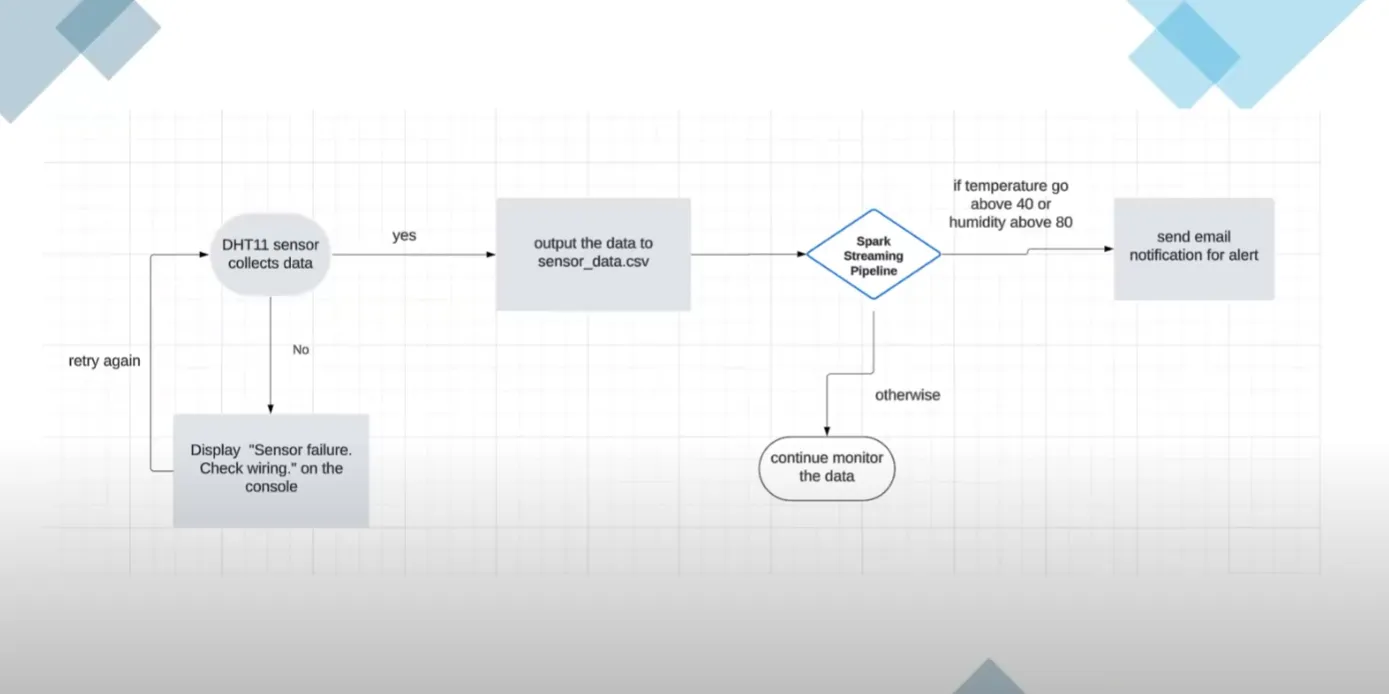
For the EECS3215 (Embedded Systems) final project at York University, my team built a low‑cost IoT sensor node from a Raspberry Pi and a DHT11 digital sensor. It reads temperature and humidity in real time, validates each sample, logs to CSV, and raises alerts when thresholds are crossed.
The interesting part is the second half: the project starts with embedded fundamentals (GPIO interfacing, timing, reliability) and extends into a small IoT pipeline, with PySpark Structured Streaming doing the alerting.
Stack
- Hardware: Raspberry Pi (GPIO), DHT11 sensor
- Pi software: Python (
Adafruit_DHT,csv,datetime) - Streaming and alerts: PySpark Structured Streaming,
smtplibfor email - Data: CSV with
timestamp, temperature_c, humidity_pct - Optional analytics: pandas and matplotlib for plots; MQTT or HTTP for a cloud hop
What it does
- Real‑time acquisition: polls the DHT11 every 5 seconds over GPIO7, with retry
- Robust logging: drops invalid or out‑of‑range reads before anything is persisted
- Active monitoring: Spark tails the CSV folder and emails when a threshold is breached
- Fault tolerance: Spark checkpointing for recovery, and a systemd unit so the Pi logger survives a reboot
Backup demo on Google Drive. Source: github.com/zhuhongd/EECS3215-Project-DHT11.
Pi side, step by step
- Init and storage. Make sure
sensor_data/exists; create the CSV with a header on first run. - Read and validate.
Adafruit_DHT.read_retry(DHT11, GPIO7); accept only sane ranges (−10 to 60 °C, 0 to 100 % RH). - Persist. Append
timestamp, temperature_c, humidity_pctas a clean row. - Loop and pacing.
while True: … sleep(5), with a graceful exit on Ctrl+C.
[DHT11 sensor]
      |
    (GPIO)
      v
[Raspberry Pi] --(Python logger)--> [CSV data store]
      |
      +--> [console logs]
Real‑time alerts with Spark
A lightweight streaming job watches the CSV folder the Pi produces and triggers email alerts when readings cross thresholds, which are configurable through environment variables. That turns a passive logger into an active monitor.
Raspberry Pi (CSV files) --> PySpark Structured Streaming
schema + cast + threshold check --> email alerts- Ingest new CSV files from
sensor_data/ - Parse and cast strings to numeric
- Detect
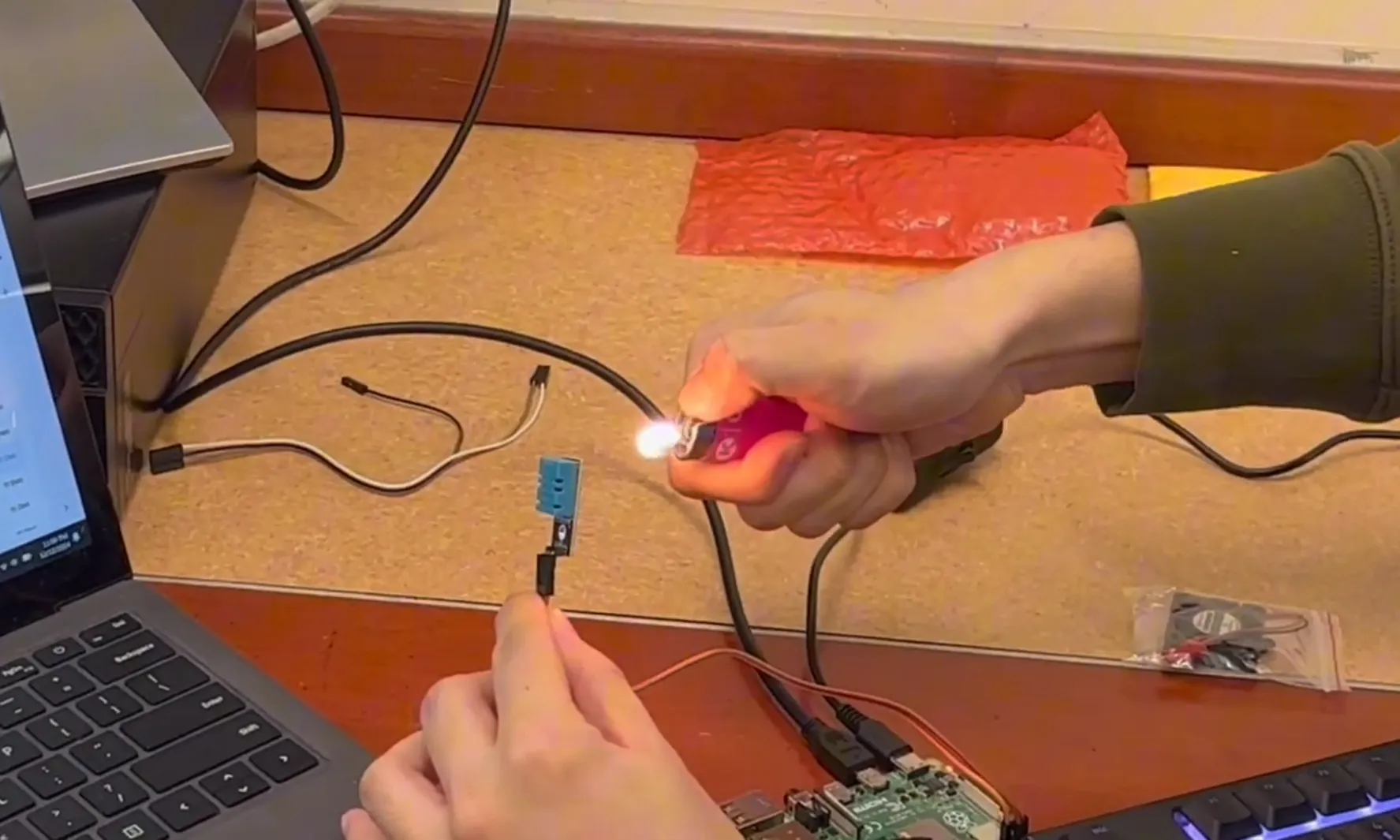
ALERTrows by threshold (for example temperature above 40 °C or humidity above 80 %) - Notify by email, with subject, timestamp and values
- Recover from Spark checkpoints so the stream resumes after a restart
Credentials for the mail provider come from environment variables; use an app password, never the account password.
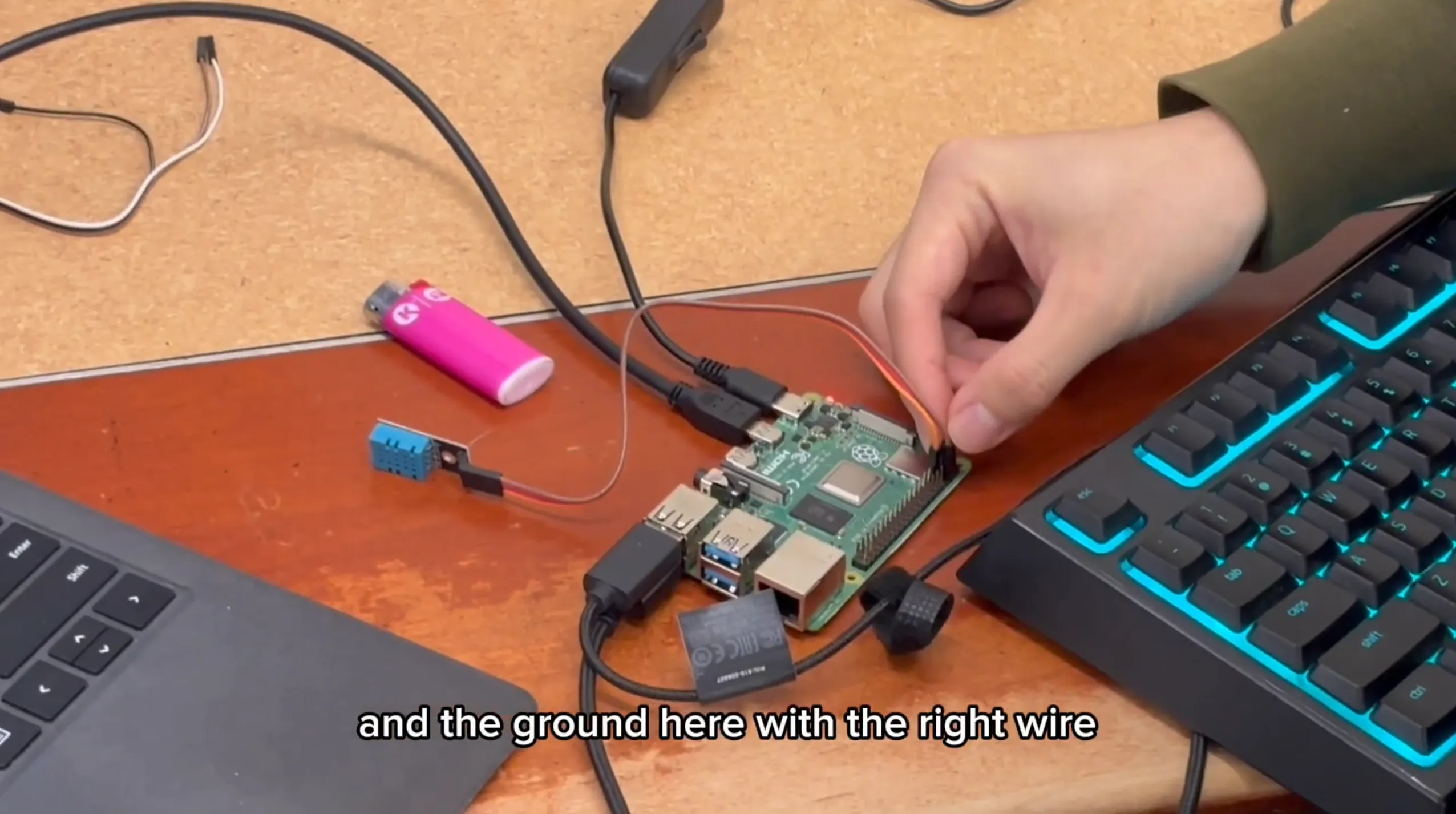
Running it as a service
To run the Pi logger hands‑free, install it as a systemd service so it starts on boot and restarts on failure.
# /etc/systemd/system/dht11.service
[Unit]
Description=DHT11 Sensor Logger
After=network.target

[Service]
ExecStart=/usr/bin/python3 /home/pi/dht11_logger.py
WorkingDirectory=/home/pi
StandardOutput=append:/home/pi/dht11.log
StandardError=append:/home/pi/dht11.err
Restart=always
User=pi

[Install]
WantedBy=multi-user.target
sudo systemctl daemon-reload
sudo systemctl enable dht11.service
sudo systemctl start dht11.serviceResults
A growing CSV:
timestamp,temperature_c,humidity_pct
2025-09-02 14:03:10,23.4,52.0
2025-09-02 14:03:15,23.4,51.9
Live console logs for sanity checks, and email alerts when thresholds are breached.
If I kept going
- Daily CSV rotation:
sensor_data/YYYY-MM-DD.csv - Rolling‑median smoothing to take the jitter out of the sensor
- Publish to MQTT or HTTP, land in BigQuery, chart in Superset or Grafana
Reflection
This project made the hardware‑software boundary concrete: GPIO timing, sensor quirks, validation, and a tiny but reliable data pipeline. Extending it with Spark forced me to think about stream processing, exactly‑once semantics and alerting, which is exactly the vocabulary I needed later for larger data systems.